Build distribution for game studios
Fast to fetch.
Cheap to keep.
Vsync moves and stores only what changed, so nightly, QA, and playtest builds reach your team in seconds without growing your storage bill.
- Platforms
- Windows, macOS, Linux
- Deploy on
- your own server
The problem
A small change.
Another full download.
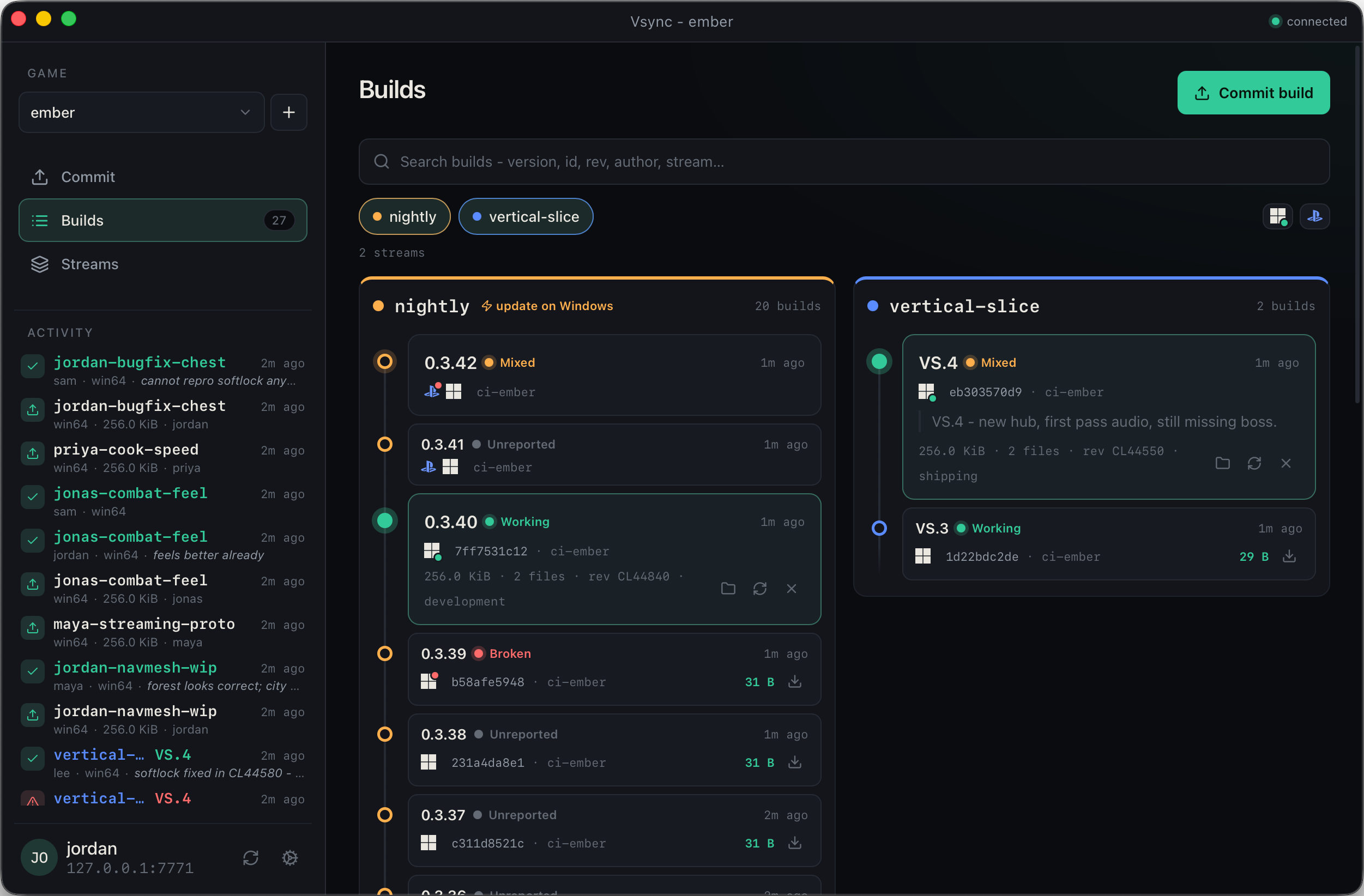
Game builds can be enormous even when little has changed. Vsync finds the data you already have, transfers only the missing set, and stores each chunk once no matter how many builds need it.
Workflow
Publish and fetch builds.
- 01
Publish a build
Assign a version, platform, and stream. Vsync uploads only chunks the server is missing.
vsync commit ./build --stream nightly - 02
Pick a build
Find it by stream, version, or build ID. Release notes and team feedback stay attached.
- 03
Fetch the difference
Vsync reuses local chunks and writes a normal build folder. Failed updates leave the previous build intact.
95% already here↓ 412 MB
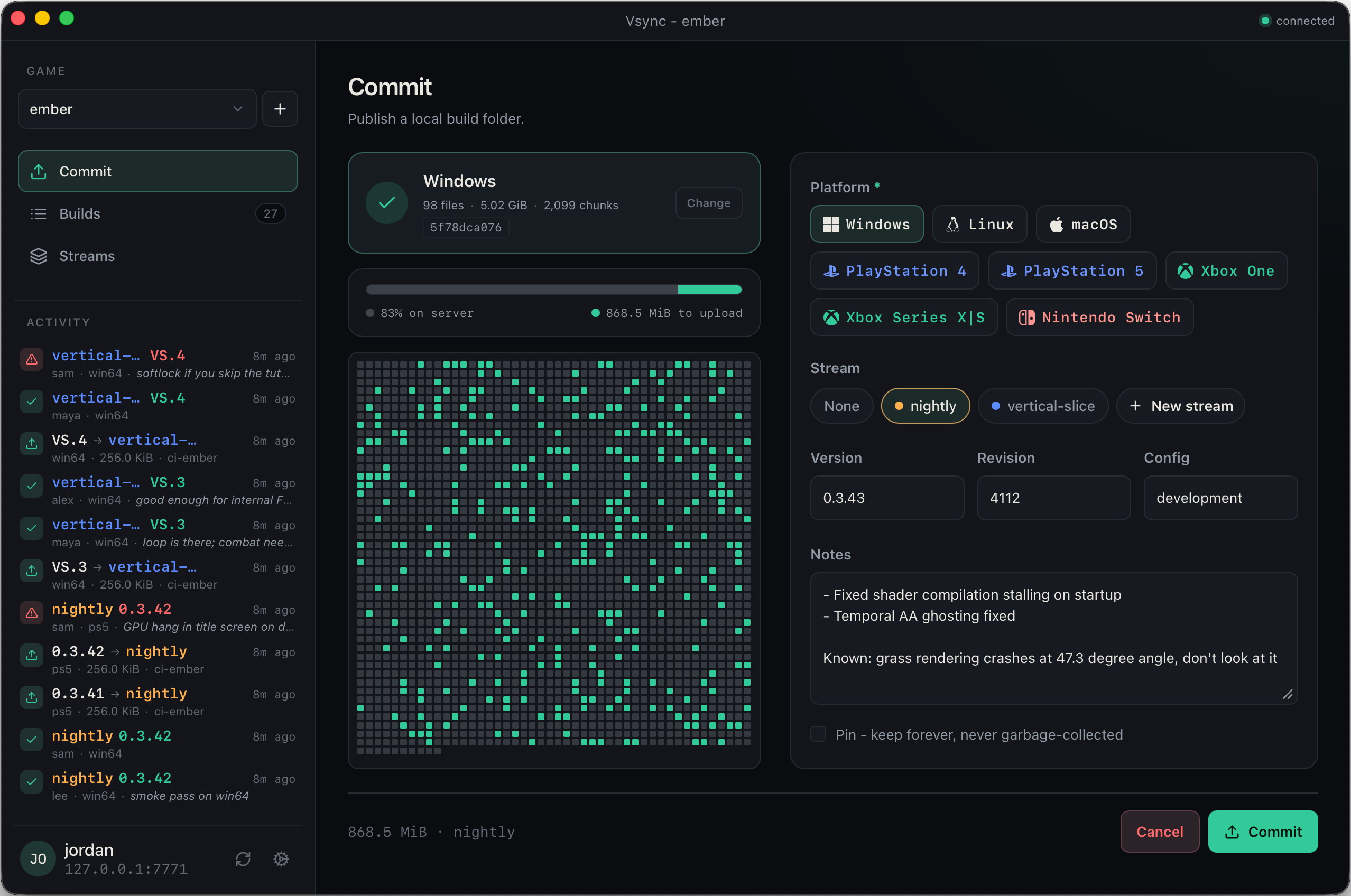
Build detail
Version, source revision, and a manifest of every file and chunk. Open a build to see what you would fetch before you fetch it.
- ManifestPaths, chunk hashes, size, revision, and stream membership.
- ActionsFetch, verify and repair, open folder, or delete from the build view.
- Local checkSkip the transfer if the build is already complete on disk.
How it works
Chunk by content. Transfer the difference.
Builds live in a content-addressed object store, not as zip archives, so shared chunks are stored once and reused across every build that contains them. Three ideas do the work.
- Content-defined chunking
- Cut files where the data suggests a boundary, not at fixed offsets. A one-byte insert no longer invalidates everything after it - unchanged regions keep their identities.
- Manifest, content, and build
- A snapshot is a manifest: the file tree plus each file's ordered chunk hashes. Its content ID is the hash of that recipe - identical trees share one content ID. A build registers that content into a game and gets a short integer ID such as
#42. - Have-negotiation
- Before commit or fetch, ask which hashes the other side already holds. Only the missing set crosses the network.
Dedup follows the packer. Non-deterministic packing or solid compression can make builds look mostly new; per-asset compression is fine. When dedup is poor, fix the packer - not the distributor.
Command line
Use Vsync from CI or a terminal.
The vsync command publishes builds, moves streams, fetches by stream, version, or build ID, and manages the local cache.commit and fetch accept --json for scripts.
People sign in with a user name or email and password from an invite. CI uses VSYNC_SERVER and VSYNC_TOKEN.
$ vsync login --server https://builds.studio.com
logged in as ali

$ vsync --game starfall --platform win64 \
    commit ./Build --stream nightly --version 0.9.5
uploaded 146 MiB · 2,417 chunks already present

$ vsync --game starfall --platform win64 fetch nightly
pulled 42 chunks, 146 MiB → builds/starfall/win64/nightly
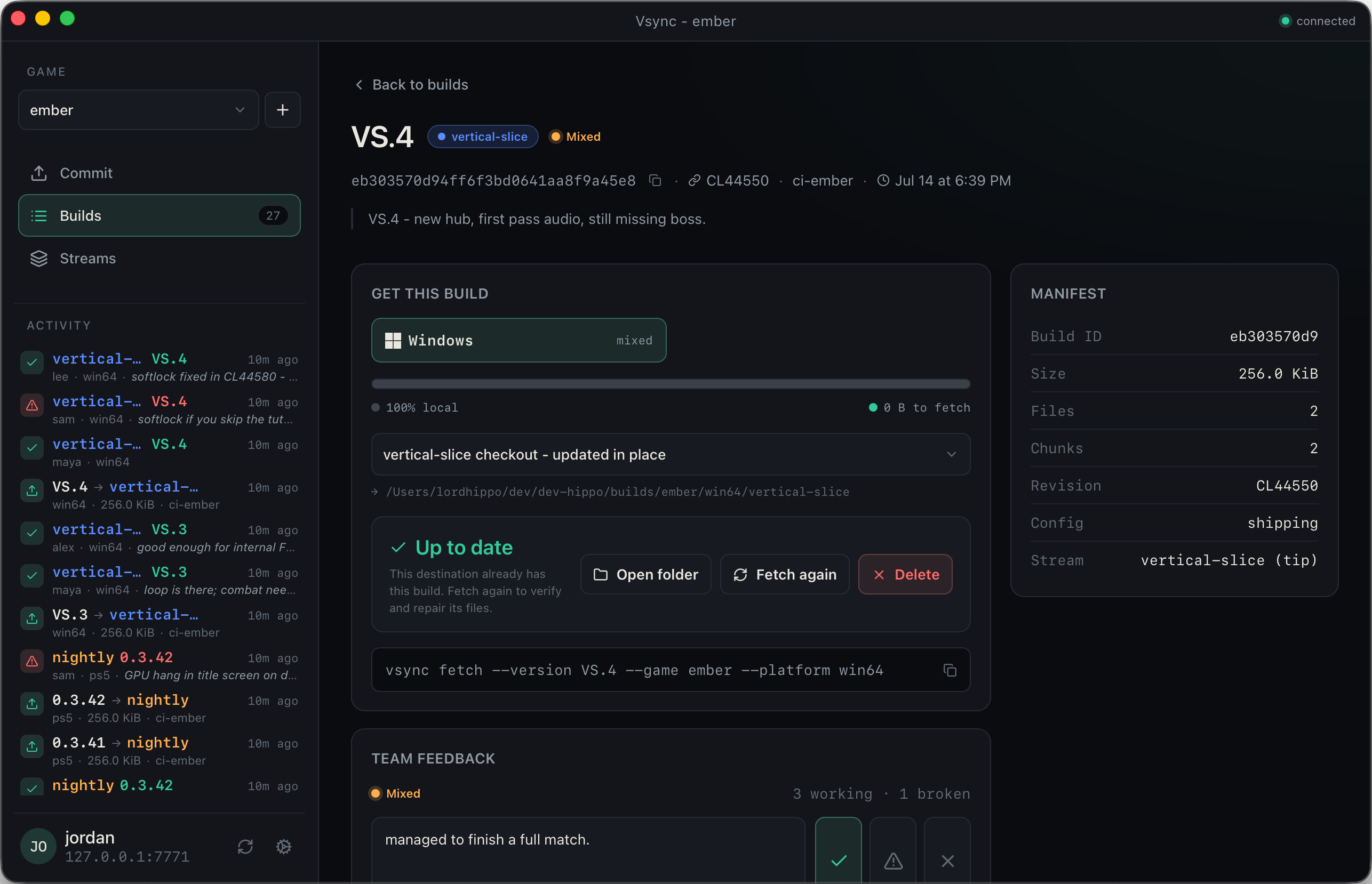
Streams
Named lines of builds.
A stream points to a build and can move when a new one is ready. Teams can fetch names such as live, release, ordev without looking up a build ID.
- Shared pointersEveryone gets the build currently assigned to a stream.
- Multiple workflowsKeep release, QA, feature, and personal builds separate.
- Build historyThe underlying builds remain identifiable by version and build ID.
- Team notificationsPush a webhook to Slack or Discord so the team knows when a build lands.
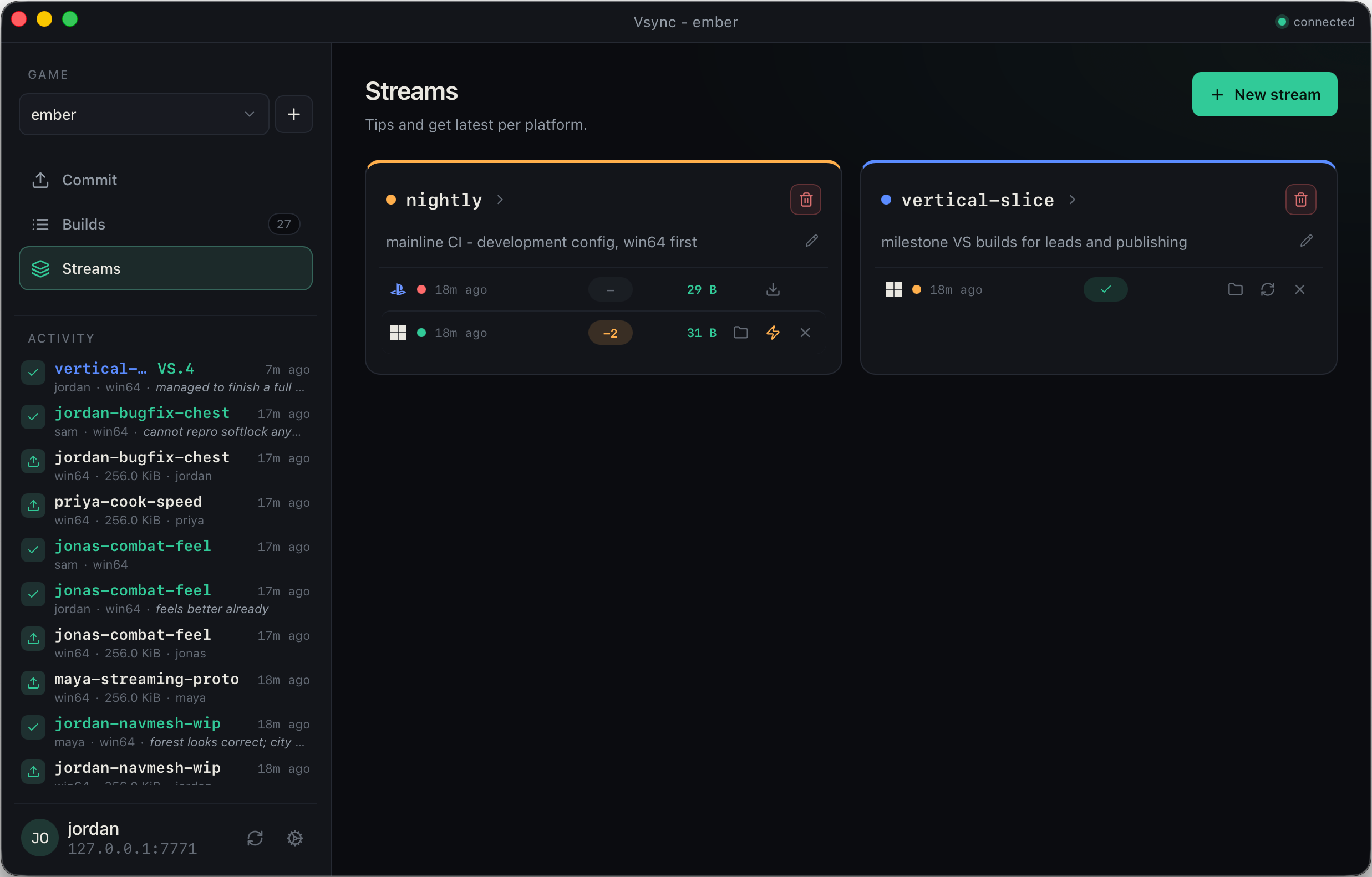
Team feedback
Report whether a build works.
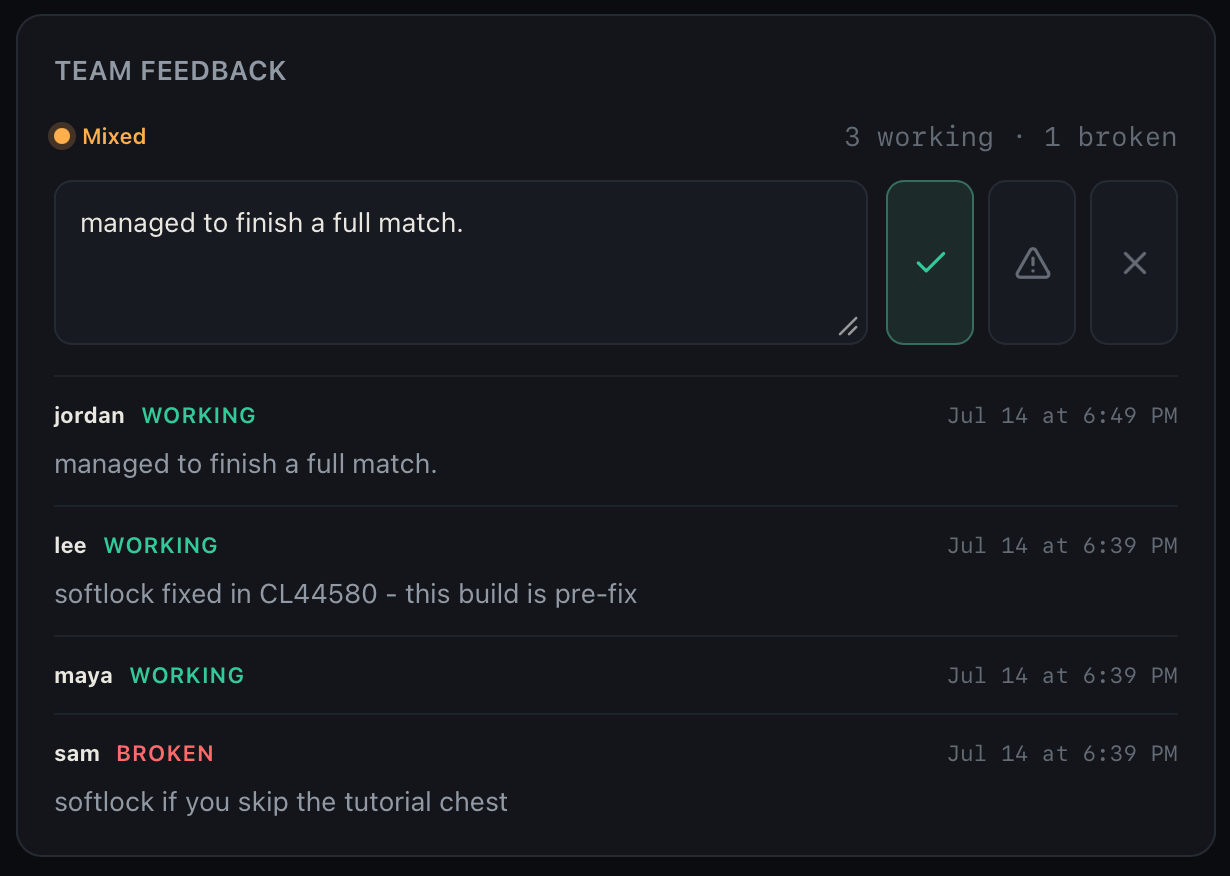
Mark a build working or broken and leave an optional note. The build list and admin view show the combined status.
- StatusReports roll up to unreported, working, broken, or mixed.
- NotesOptional text next to each verdict.
- CLI
vsync report 42 --verdict broken --note "crashes on boot"
Deployment
Self-hosted. One binary.
Install vsync-server on your own server. Builds stay on infrastructure you control.
- Drop-inBinary, config, data directory - done.
- AuthPassword accounts for people; tokens for CI. Roles scope to a game or stream and control fetch, commit, and admin access.
- RetentionPin what matters; GC the rest.
- OfflineThe desktop app keeps local checkouts usable when the server is unreachable.
- Ops toolingPrometheus metrics, live backups, and integrity checks ship with the binary.