Desktop quick start
You need an invite link and the server address from your Vsync administrator.
1. Install Vsync
Download and install the desktop app for your operating system from the Vsync downloads page. See Install Vsync for platform-specific steps.
2. Activate your account
Open your invite link, choose a password, then launch Vsync.
3. Sign in
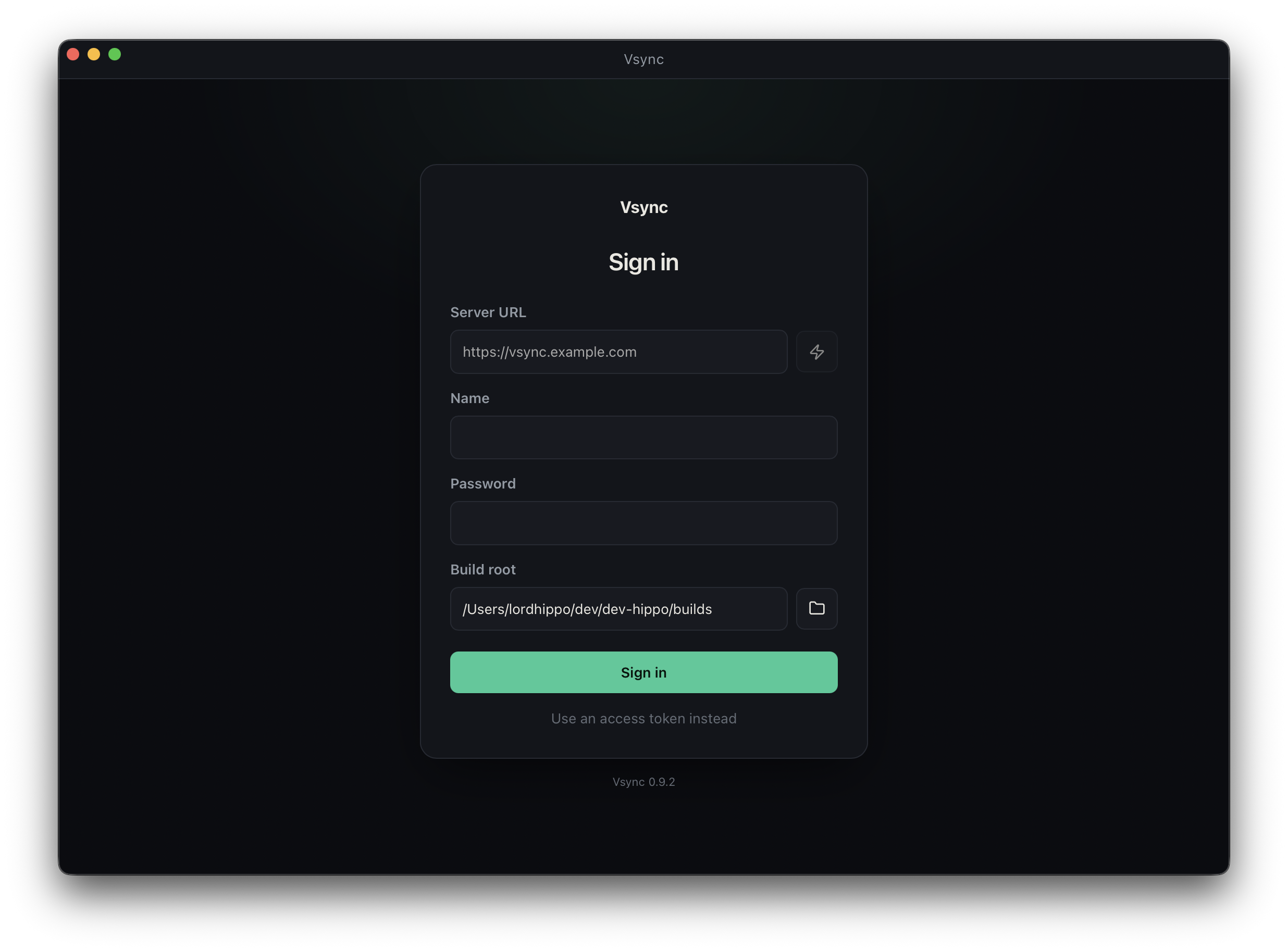
Enter:
- Server URL: for example,
https://builds.example.com. Do not add/admin. - Name and password: the account from your invite.
- Build root: the folder where downloaded builds should live.
Use the lightning button beside the server URL to test the connection, then choose Sign in.
4. Fetch a build
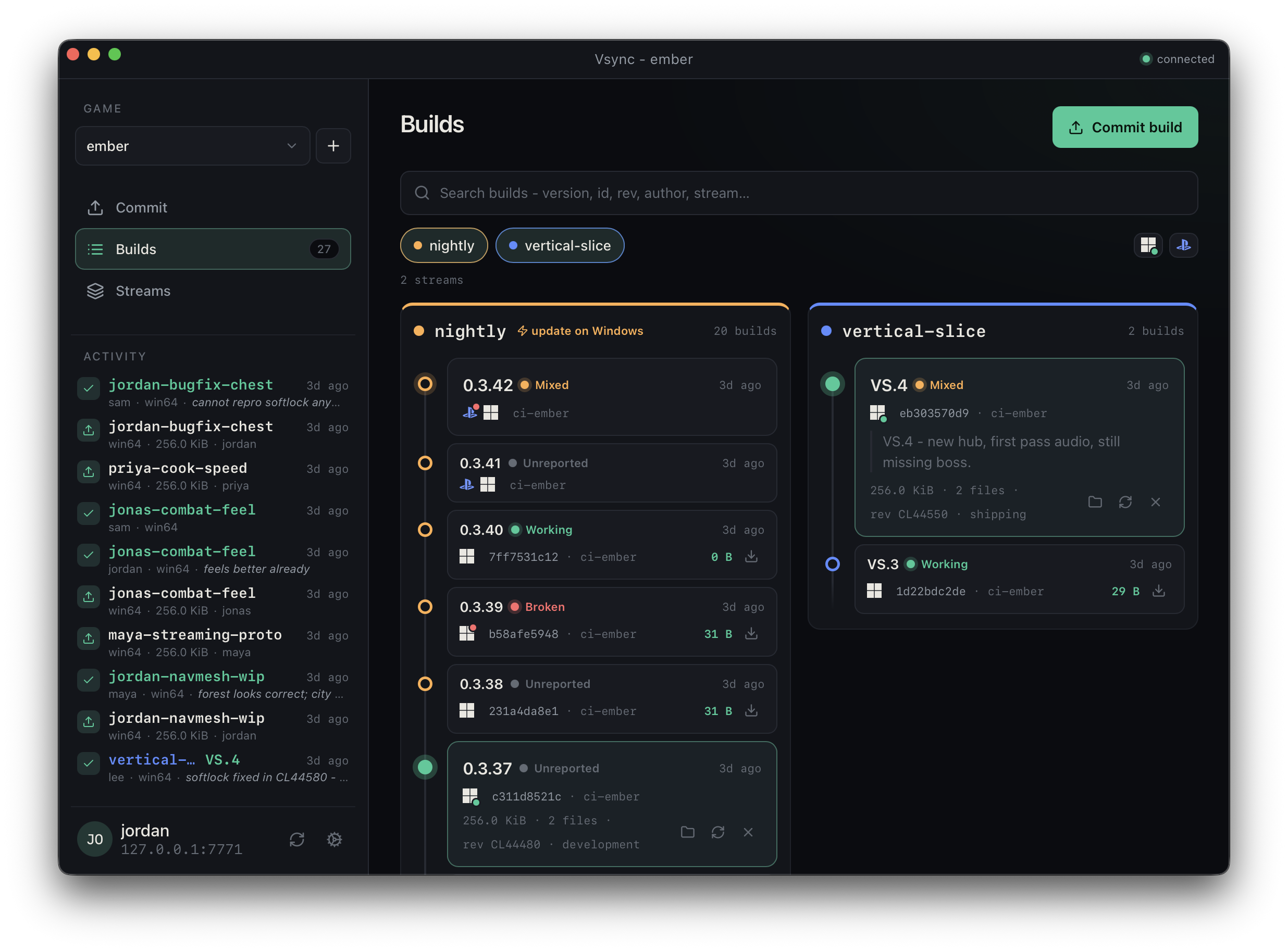
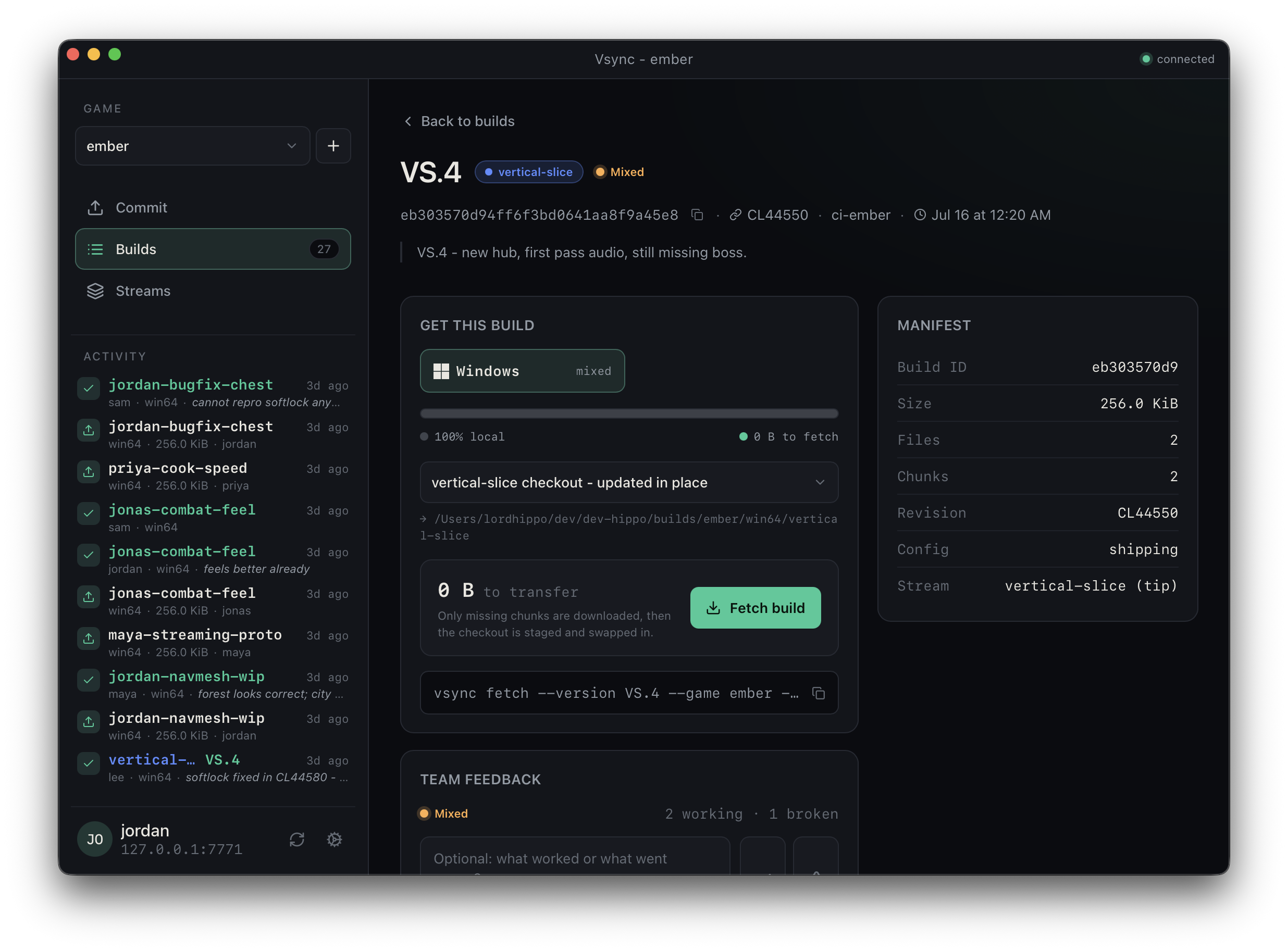
Select your game, open a build, choose its platform, then choose Fetch build. Vsync creates the checkout below your build root. Choose Open folder when the download finishes.
If no game or build exists, the person setting up the team must first publish a build.
For sign-in or download errors, see Client troubleshooting.